Draft patent applications and office action responses more efficiently without sacrificing quality. Patent Bots brings AI patent drafting tools directly into Microsoft Word, so you can move faster while staying in control of how the invention is described.
Try AI Drafting Tools
Review and revise outputs throughout the process. Your decisions help guide what comes next.

Generative AI where flexible drafting helps. Predictable automation where consistency matters.

Draft, review, and insert AI-generated content without leaving Microsoft Word.
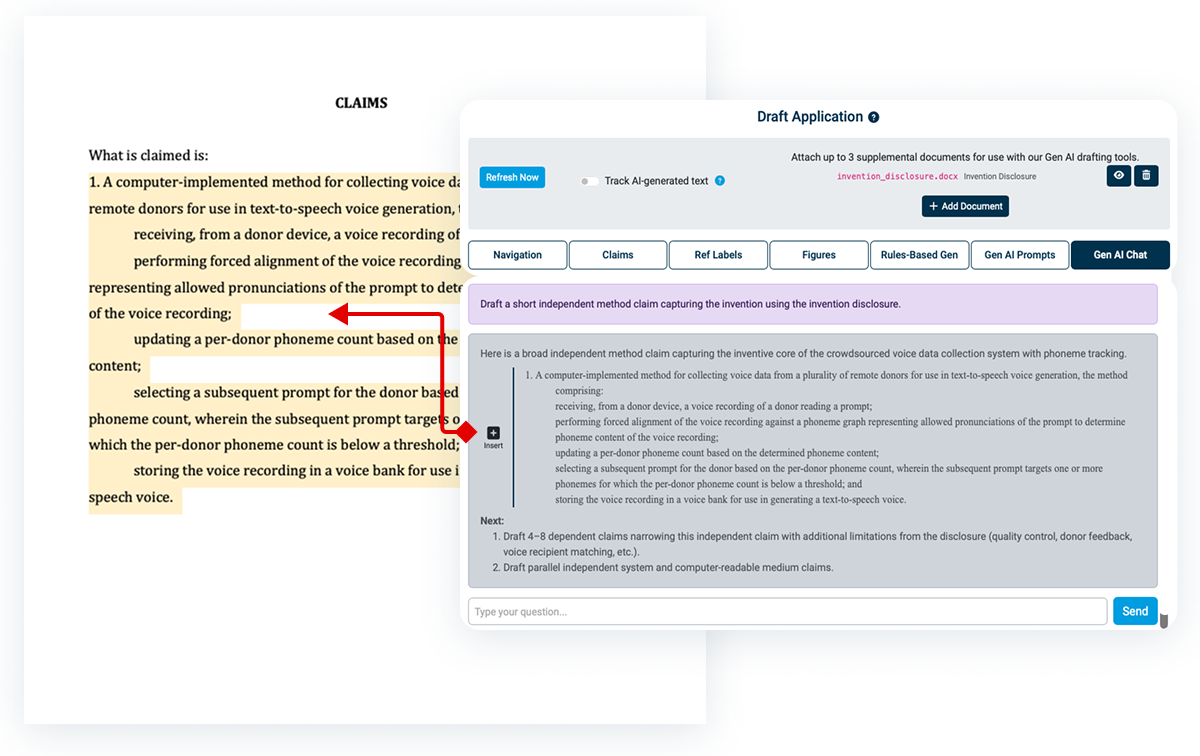
Meet Sprocket, your AI drafting assistant. Sprocket starts with your patent application text already loaded as context, and you can attach supplemental documents, like an invention disclosure or prior art, for even more depth.
Ask Sprocket to draft claims, suggest figures, recommend language, or answer questions. You can then insert the output directly into your Word document with one click. You can also rewrite text you've already drafted to tighten language or adjust scope without starting over.
Sprocket even guides you, with proactive suggestions for next steps based on where you are in the draft.
For a full walkthrough of drafting a patent application from start to finish with Gen AI, see our step-by-step guide.
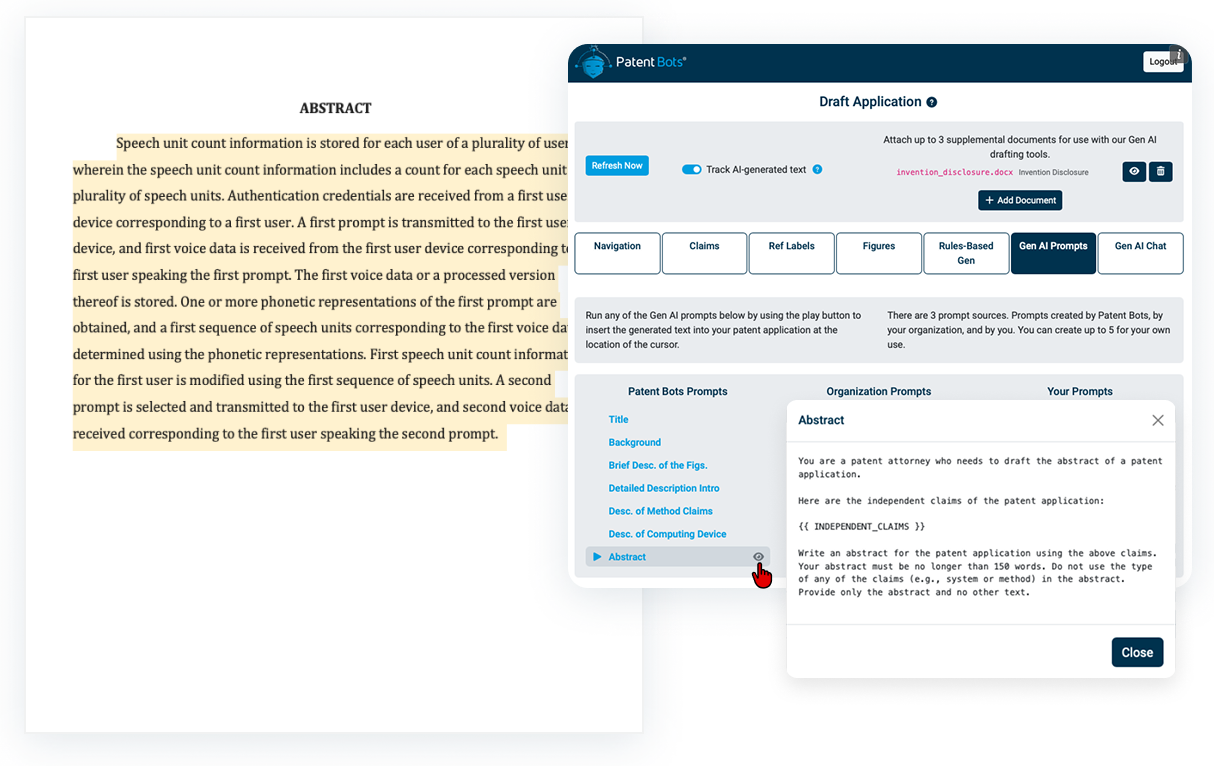
Every application has common sections like the background and the abstract, and most attorneys have a way they like to draft each one. Saved Prompts let you turn that approach into a reusable prompt instead of rebuilding it by hand every time.
Take the abstract: instead of prompting the AI from scratch on every application, you can save a prompt with your specific preferences. Run it with each application, and every abstract you draft going forward follows the same structure.
Patent Bots provides a built-in library of prompts to help you get started with common drafting tasks. Your firm can also add organization-specific prompts so every attorney drafts to the same standard, and you can save your own individual prompts to match your personal drafting style.
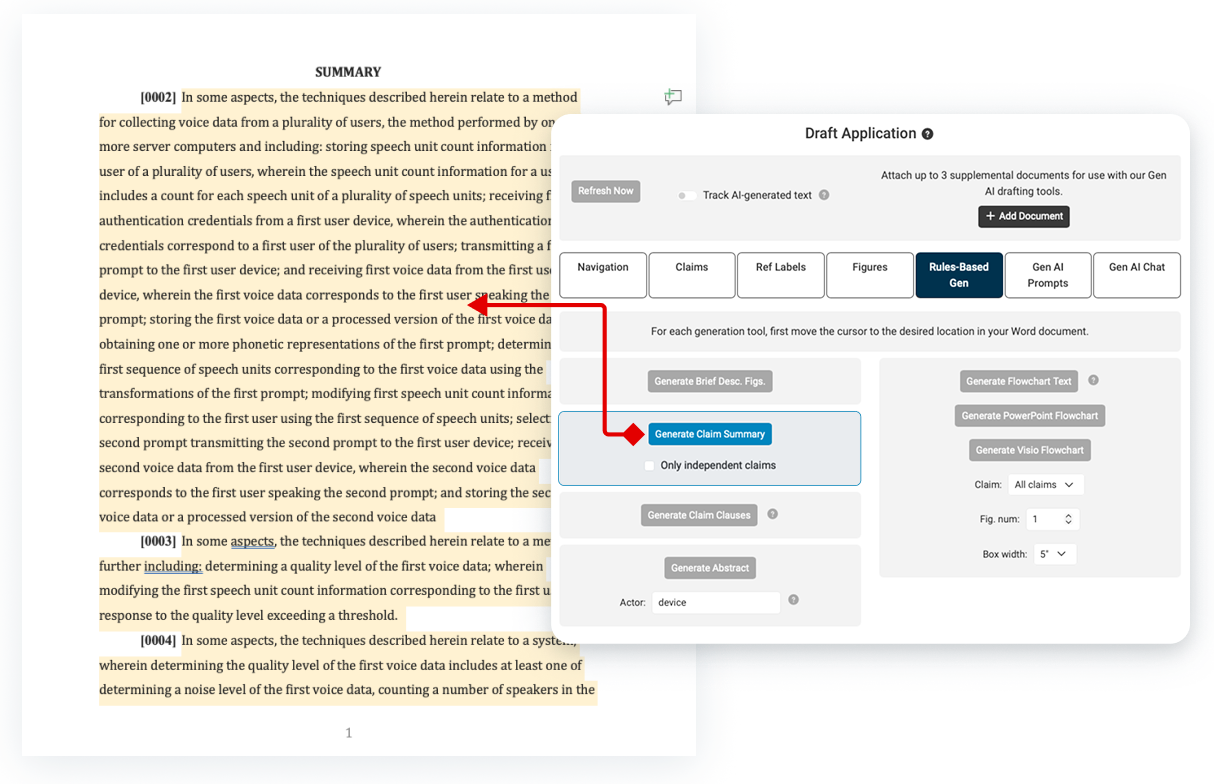
Some sections don't need creative drafting, they need to be consistent and repeatable. Rules-based generation handles these sections by repurposing text you've already written rather than generating new language from a prompt. The result is 100% predictable. The same input produces the same output, every time, with nothing left to chance.
Claim summary generation is a great example. Instead of asking AI to modify your claim text, which risks unintended changes, Patent Bots applies predictable rules to generate the claim summary. The summary is generated the same way every time, with no risk of the AI paraphrasing your claim language into something you didn't write.
With a few clicks inside your Word add-in, this same rules-based approach can also be used to generate the abstract, brief description of the figures, and more.
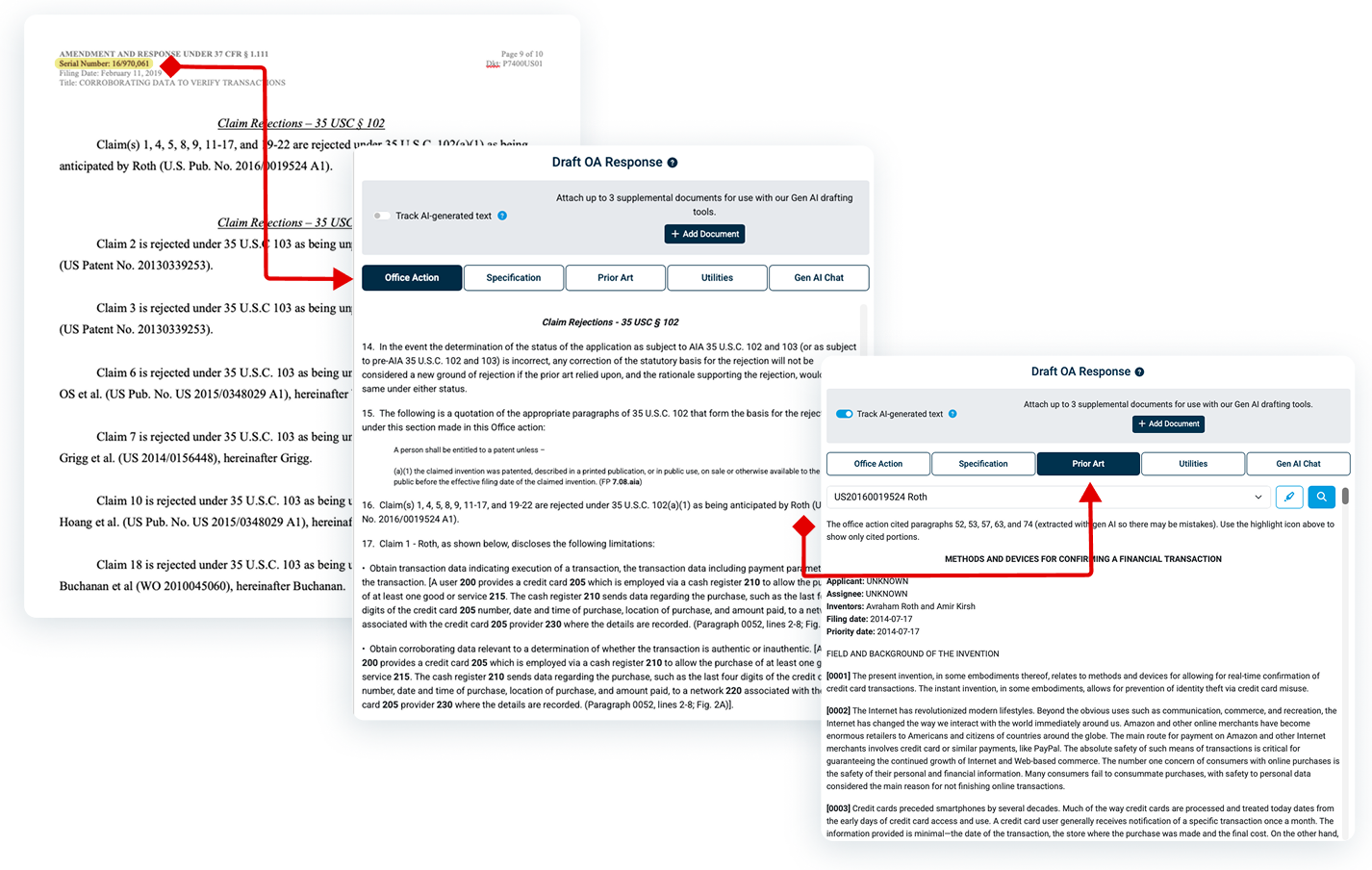
Patent Bots puts everything you need for office action response drafting in one place. The office action, specification, and prior art each have their own tab in the Patent Bots Word add-in, and each tab has a search button so you can jump straight to the section you need. You're not limited to public applications, either. Log in to Patent Center directly from the Word add-in to bring the same support to applications that aren't yet public.
From there, you can take advantage of Sprocket to draft your response, using the same step-by-step approach available for application drafting. An OA response drafting skill guides Sprocket to work through a rejection the way a patent attorney does. Sprocket automatically works from those same documents: the current office action, your specification, and the relevant prior art.
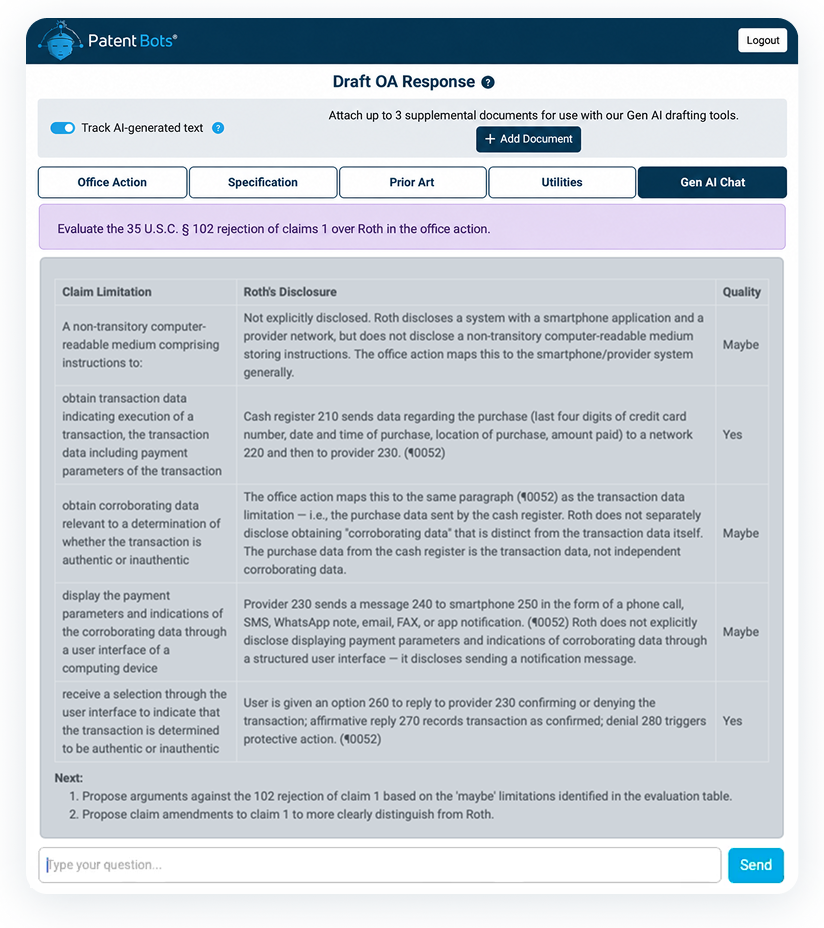
Ask Sprocket to evaluate a rejection, and it returns a table mapping each claim limitation to the corresponding disclosure, with an assessment of how well the reference reads on that limitation. Then ask Sprocket to propose arguments for overcoming the rejection or suggest a claim amendment to strengthen your position.

Patent Bots' generative AI drafting tools produce a starting point, not a final product. They're designed to be flexible and work with your own process, enabling you to maintain the final authority on every patent application and OA response that goes out the door.

Patent Bots' AI drafting tools run via a Microsoft Word add-in, so there's no new platform to learn. Our tools appear side-by-side with the document you're already drafting so you can generate content, manage prompts, and insert AI output without leaving your usual workflow.

We process your patents on servers in the U.S. and follow security best practices. Patent Bots enforces zero data retention across all its AI patent drafting tools. Inputs and outputs are never stored or used for training.